
Name-Based Case Searches
Start at re:SearchTX, the official statewide portal. It pulls together case, filing, hearing, and document metadata from integrated courts. Llano County's County Clerk reports some good news. County court records became searchable there on July 28, 2025. Not every historic document is online, though. The search tools can change over time.
- Identify whether the matter belongs to county court, district court, a JP precinct, a municipal court, child protection, or federal court.
- Choose the Cases tab and enter the full party name. Add Llano as the location when that filter is available.
- Narrow results by court, case category, case type, or date only when those facts are known.
- Open the match and record its cause number, court, filing date, status, and document access.
- If no match appears, vary one filter at a time and contact the proper clerk before concluding that no record exists.
The portal's field set supports focused searches without requiring sensitive identifiers.
| Field Label | Type | Required | Use |
|---|---|---|---|
| Cases | Search tab | No | Find case-level records. |
| Keyword, name, or number | Text | Query or filters needed | Use the full cause number or party name. |
| Location | Filter | No | Select Llano when available. |
| Case Category | Filter | No | Narrow civil, criminal, family, or other results. |
| Case Type | Filter | No | Use only when the type is known. |
| Court | Filter | No | Distinguish county and district courts. |
Four Llano County Search Paths
re:SearchTX sorts a search into four questions. The Cases tab checks whether a case record matches your terms. Filings hunts for docket events and documents where data are integrated. Hearings narrows to published settings. Text in Documents scans OCR text whenever a document is available and the system can read it.
- Cases
- Case-level identity, category, court, status, and other indexed fields.
- Filings
- Events or filed items tied to an integrated case.
- Hearings
- Settings published from participating court systems.
- Text in Documents
- OCR word matches that help discovery but do not prove a fact.
Match the tab to your question. A hearing search may surface a date yet skip the rest of the register. A filing hit might name a document. It can still demand an account, a payment, or a clerk request before you can read it.
The portal's landing page is the statewide entry point for this Llano County search.
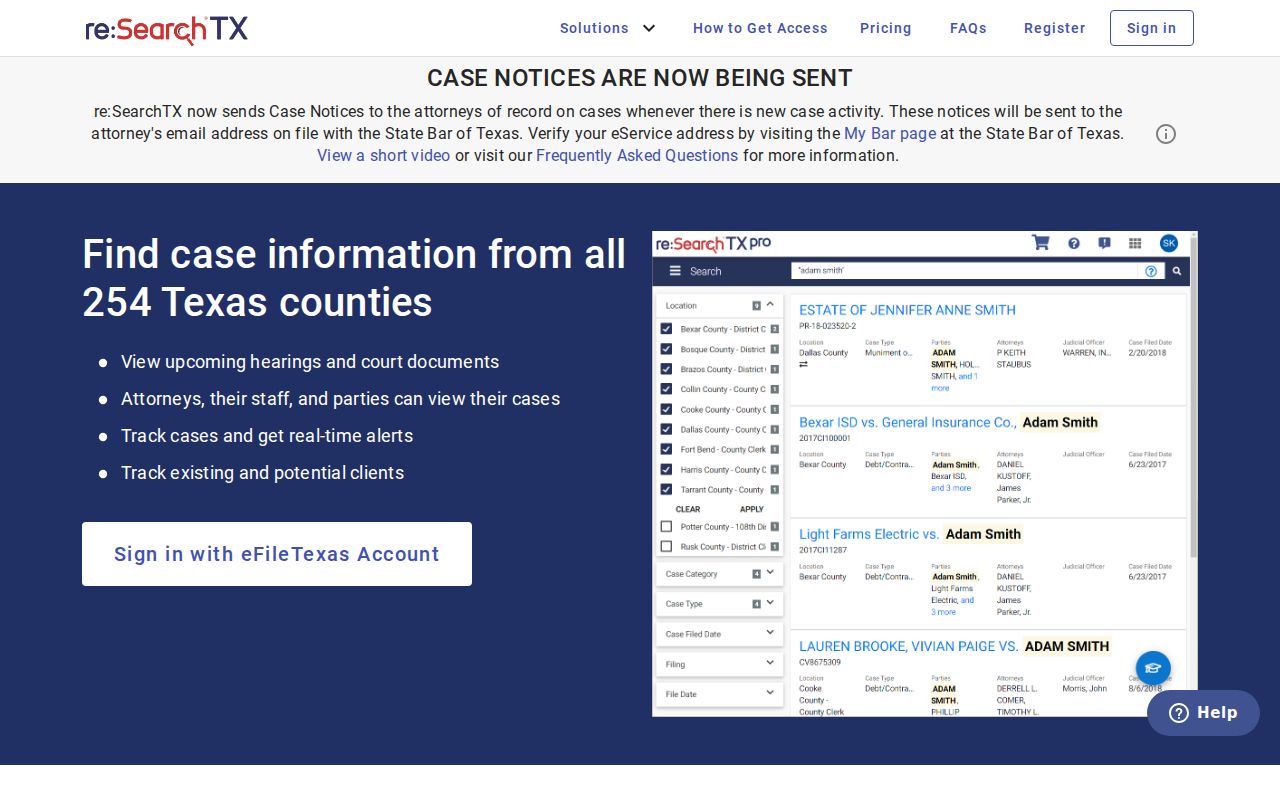
That landing page is only the search layer; the Llano County clerks remain the record keepers.
Case Number Searches
A complete cause number beats a name almost every time. Names get misspelled, changed, or shared. One Llano County criminal setting mixes older numeric identifiers with a structured value like 26-150-CCCR-00094. That example is one format. It is not a numbering manual for every court in the county.
Type the punctuation exactly. If the search fails, try the full value. Do not invent a court prefix. Then ask the clerk to confirm the format. A municipal citation number is never a district cause number. A county criminal sequence will not identify a civil, probate, family, or JP case either. The court named on your notice tells you where the number belongs.
Llano Docket Search Versus Recorded Documents
The Llano County public-search site is an official-records index. Its labels include grantor or grantee, subdivision, document type, document number, recorded date, index-only search, and index plus full-text OCR. Those are marks of a land and official-document system, not a civil or criminal docket.
Use it for deeds, liens, and recorded instruments when the County Clerk points you there. A blank result there proves nothing about whether a lawsuit or criminal case exists. The legacy eDoc channel also searches by filing date or person name, but it is unclear whether it covers court records or only official records. Ask the County Clerk about its scope before relying on it.
Two indexes, two questions. re:SearchTX looks for integrated court cases. The county public-search portal looks for recorded instruments and official records.
Case Search Results Explained
A good result names the court and county before anything else. Write down the cause number, case category, type, filed date, current status, and any disposition shown. When an event links to a document, note its title, filing date, page count, and whether download or certification is offered.
| Case Number | The court's key, copied with all punctuation. |
|---|---|
| Court and County | The source court and Llano location tied to the result. |
| Style or Parties | The public caption, which identifies the matter but does not decide it. |
| Case Type | The indexed category, such as criminal, civil, family, or probate. |
| Filed Date | The opening or filing date, not the hearing or disposition date. |
| Status | An index label that should be checked against the latest order. |
| Hearing | A scheduled event that may later reset or be canceled. |
| Document | A title or link whose access can depend on rules, fees, and account rights. |
A setting is not a judgment. A portal status can lag behind a signed order. Check any critical fact against the clerk's file, especially when only index data or OCR text backs it up.
Llano County Clerks Split the Search
No single Llano County office holds every docket. The County Clerk handles constitutional county-court civil, probate, and misdemeanor material. The District Clerk keeps district civil, criminal, family, and juvenile files. Each JP precinct and municipal court maintains its own records.
For a direct request, give the full cause number. Add party names, filing year, court, and case category. The County Clerk notes that probate is not online. An office name search may carry a $5 charge. The District Clerk offers no countywide public search interface, so call the office directly. For JP matters, add the precinct. For a city citation, contact the issuing municipal court.
Note: The vendor operating a search screen is not the legal custodian; the court clerk can confirm scope, status, and copies.
Two Ways to Search: County and State
Most Llano County searches blend a statewide discovery layer with direct local verification. re:SearchTX casts a wide net across integrated Texas court data. Clerk channels are narrow but authoritative for the records each office keeps. Do not mistake one route for the other.
| Point | re:SearchTX | Llano County Clerk Channel |
|---|---|---|
| Coverage | Participating Texas courts and integrated data. | The assigned Llano County or district court file. |
| Best key | Cause number, or name plus location and court. | Cause number, names, year, court, and type. |
| Depth | Case, filing, hearing, and some document metadata. | Inspection, copies, and certification from the custodian. |
| Limits | Integration gaps, account rights, redaction, and document fees. | Separate offices, hours, search charges, and restricted records. |
| Fallback | Contact the court clerk after a no-result search. | Ask which custodian or precinct holds the matter. |
Federal cases arising in Llano County run through PACER, in the Western District of Texas, Austin Division. Those are not state cases. They will never appear in a county clerk search.
When a Llano County Search Is Blank
A blank screen tells you little by itself. Maybe the Llano County filter points to the wrong court. Some JP and municipal systems never feed their dockets into the statewide portal at all. A case can also fall outside integrated coverage. It may sit newly filed but not yet indexed. The file could be sealed or confidential, or hide behind a different spelling of the name. So a missing online result never proves that no record exists.
Write down what you tried first. Note the query date and the tab you picked. Record the name or case number too. Add the Llano location filter, the court, the category, and any message the portal gave back. Then change just one filter and run the docket search again. Still blank? Pass those details to the right clerk. That record helps the clerk catch a wrong court or bad format. It also shows plainly what the online search did and did not return.
Which Cases Stay Restricted
Some files stay off limits, and the limits are real. Juvenile and child-protection records get heightened confidentiality review. Sealed cases and protected material may be hidden or partly redacted. Family files can hold material that a broad public docket search will never surface. Texas Rule of Civil Procedure 76a governs sealing of court records in covered civil matters. Rule 21c addresses sensitive data in filed documents.
One tool sits apart from all this. The Child Protection Court date selector lists Llano County hearing dates. It is not a general case lookup. A date on that calendar does not open the file behind it. The official page shows why these specialty dates belong in their own search lane. They sit apart from the public docket.
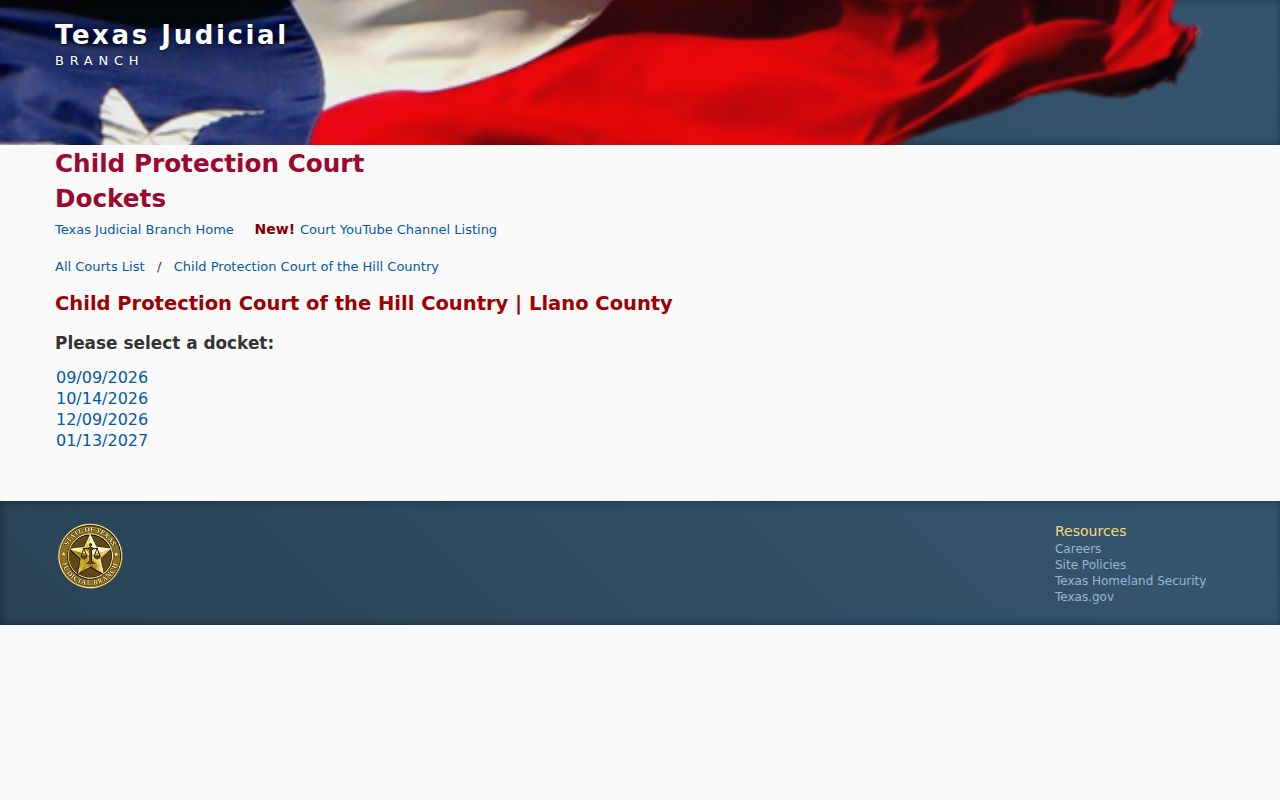
Access to the underlying child-protection record still depends on confidentiality law and court authority.
Llano County Documents and Account Gates
Finding a case and reading its papers are two different steps. re:SearchTX displays Register and Sign In controls. Some save, track, or document functions may require an account. A Llano County case can appear in the index. Its filing image may stay unavailable or sit behind a payment. Criminal document coverage has exceptions too, described by the Texas Judicial Council.
When you review a result, note whether it is index-only, OCR-based, or backed by a viewable filed document. OCR can spot a word. Yet scanning errors and poor source text create false or incomplete matches. Want an exact order, pleading, or judgment? Request that named document from the clerk. For the full file and copy options, use the Llano County court case records process.
Note: A search result can change as local integration and indexing improve, so keep the source URL and query date.